Download
Follow the following instructions to download and import the WebSphere ESB XSLT Mapping File Migration Sample project interchange file on to your system.
- Download stockquotesample.zip to a temporary directory.
- From the menu bar select File -> Import… to open the Import dialog.
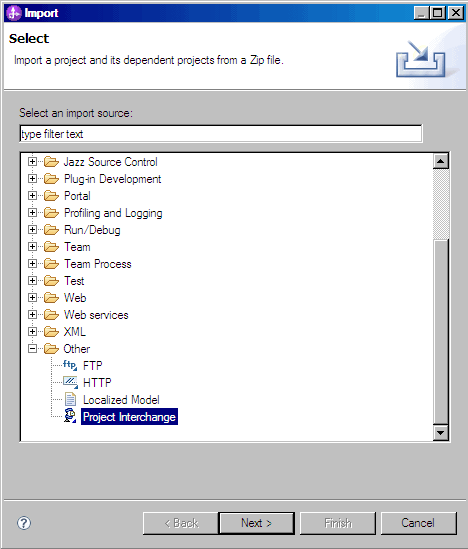
- Select Other -> Project Interchange in the Import dialog and click the Next > button.
- In the Import Project Interchange Contents dialog

type in the path and name of the project interchange file in the From zip file: entry field. For example, C:\stockquotesample.zip
- Press the Select All button to select both the Resources and StockQuote entries.

- Press the Finish button to start the import.
- Lastly, follow the Workspace Migration Wizard selecting all projects for migration.