To skip the steps for creating this module, you can import the
supplied project interchange file (MonitorAdapter.zip) into WebSphere Integration
Developer. Refer to Downloading, then go to Test.
- Start WebSphere Integration Developer and change the current perspective
to Business Integration.
- Click .
- Select Business Integration (default),
and click OK.
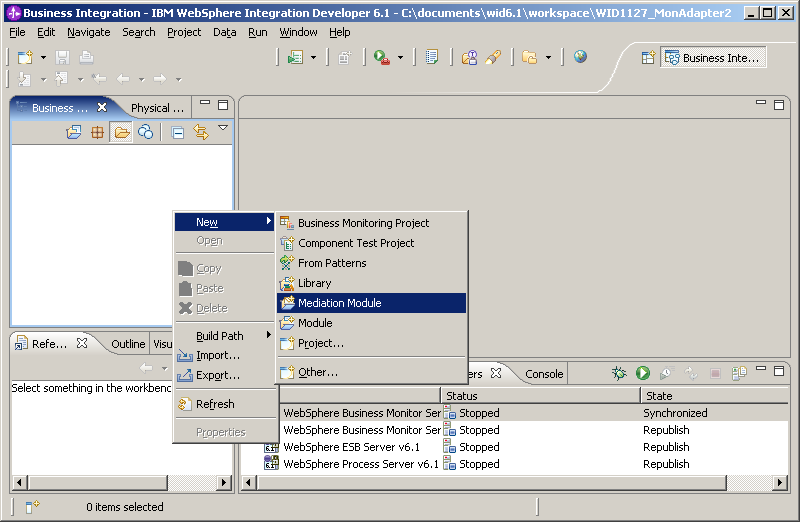
- Right-click in the Business Integration view, then click .
- Type MonitorAdapter for the name of the new mediation
module and select WebSphere ESB Server 6.1 as the target
runtime.
- Click Finish to create the new module.