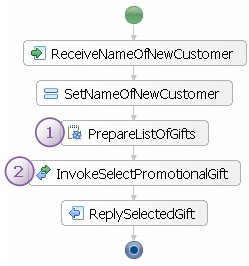
In this Java snippet a list of promotional gifts is created. It is set as input value of the participating human task.
 This invoke activity invokes the participating human task.
This sample illustrates how the user interface of the Business Process Choreographer Explorer (BPC Explorer) can be customized using Java Server Pages (JSPs). JSPs can be used to provide a user interface that is tailored to the special requirements of a particular human task. If no custom JSPs are defined for a human task, the BPC Explorer provides a generic user interface to display and enter data. If you want to provide a more dynamic user interface, custom JSPs are the appropriate way!
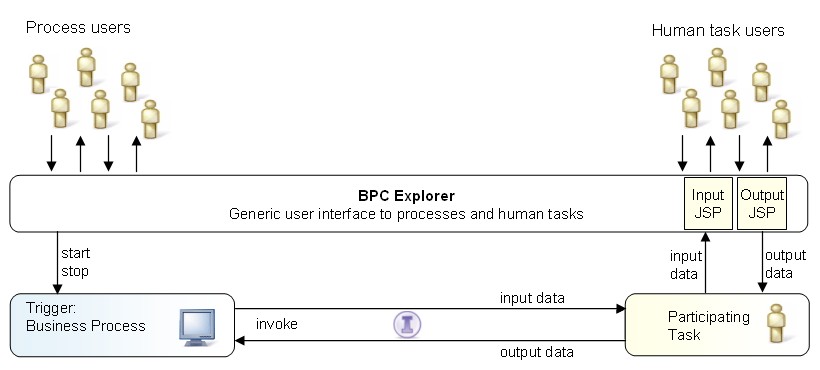
This sample consists of three components: a business process, a participating human task and a web application which contains the custom JSPs. The business process triggers the participating task. The BPC Explorer is the user interface to both, the business process and the participating task. The input and output data of the JSPs are rendered using the JSPs in the web application.
The following picture illustrates the custom JSP sample:
This sample is modeled on a business process that collects information about promotional gifts. If a customer recommends a friend as new customer, he is presented a promotional gift. The selection of the promotional gift is implemented as participating human task. The application contains custom JSPs to provide a convenient user interface.
|
|
|
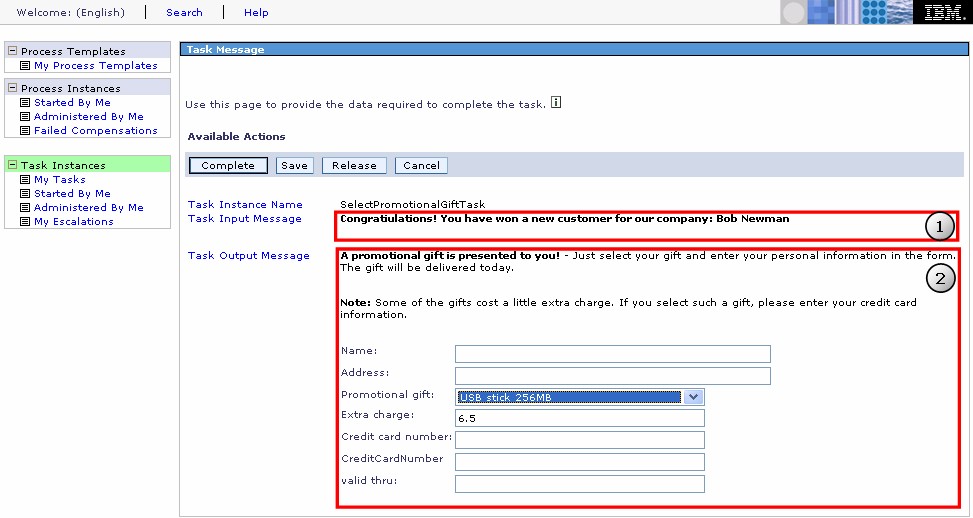
The BPC Explorer includes the custom JSPs to display output data and to collect input data. The following image shows a screenshot of the BPC Explorer with the custom JSPs of this sample. The highlighted area  shows the input JSP and
  the output JSP.
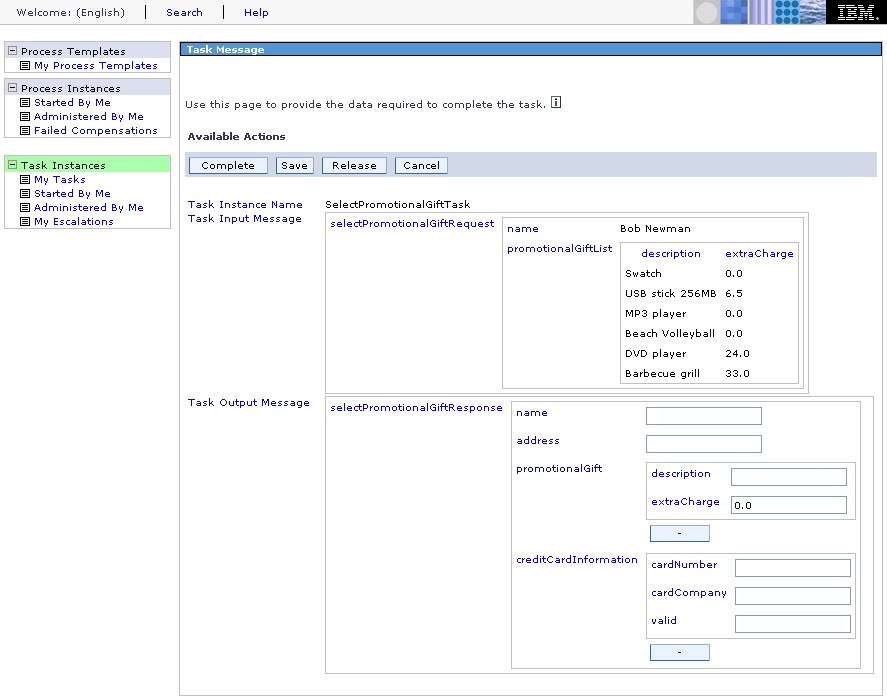
The following image shows a screenshot of the BPC Explorer displaying the same human task as above without custom JSPs: