Please go to the download tab and download the \*.twx file named:
BPMN20_EventGateway_START.twx
Then import
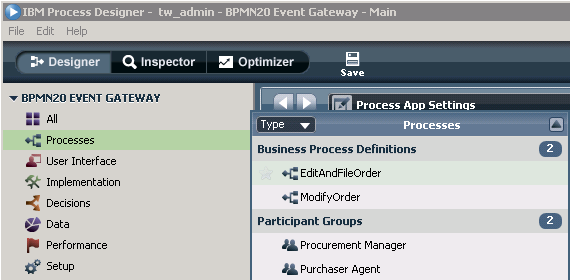
this file into IBM Process Designer v751. Once imported, open the Process
Application in IBM Process Designer, as shown here in the following
illustration:

First open
the two process diagrams to see, that there is no event gateway and no message
events, compared to the process diagrams you have seen here in the overview
section. Actually in this section you will create those missing pieces with
their underlying attribute settings. You may investigate the tasks and their
coaches, but you do not have to perform anything for those tasks.
For this
exercise dealing with the event gateway and message send / receive events, the
most important data element is the CorrelationOrderID, because this data
element will allow the BPMN engine to correlate the messages between the two
processes.
Next, have
a look at the implementations available in your imported Process Application:
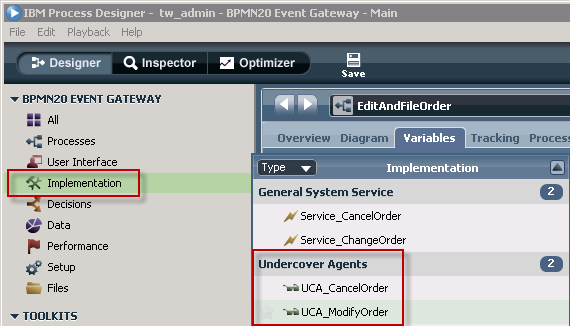
Most
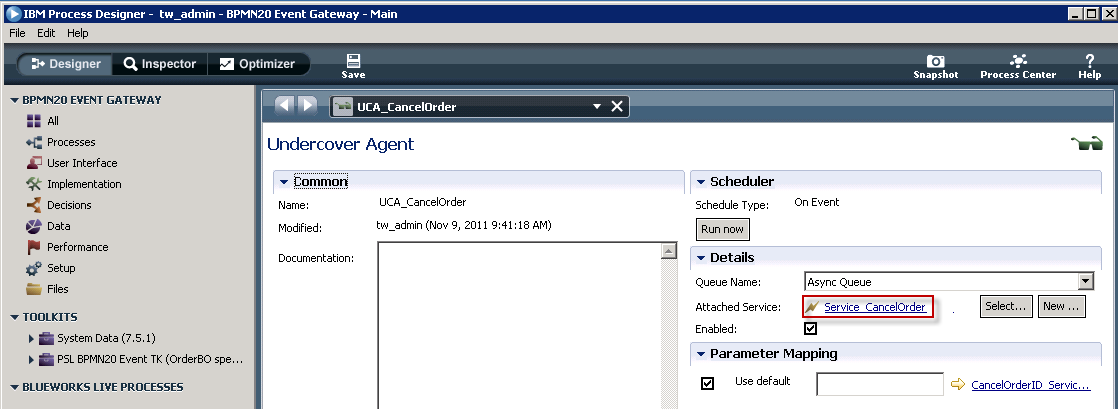
important are the two UnderCover Agents (UCAs), which will transport the
message data from one process to the other. Open the UCA named UCA_CancelOrder,
and from there its implementation service:
NOW - it's
time for you to get started.
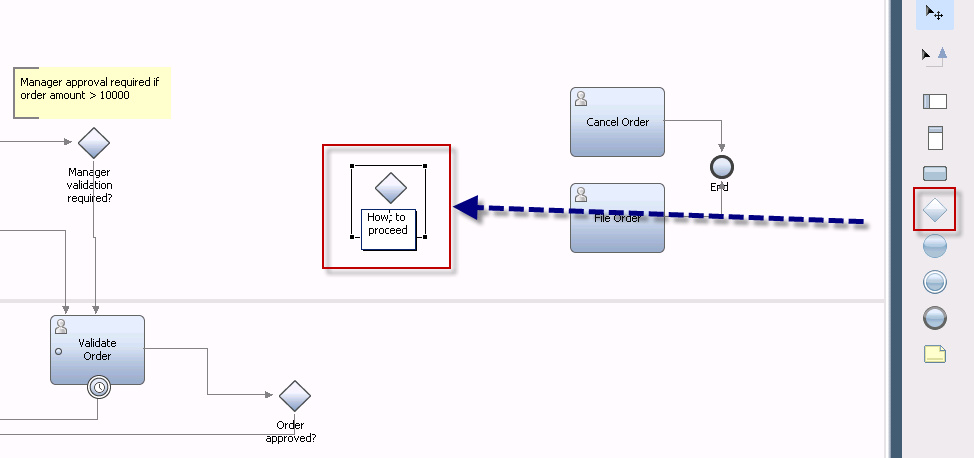
Open the
process 'EditAndFileOrder' (if not alread opened), and switch to the diagram
view. Scroll to the empty area between the two tasks 'Validate Order' and
'Cancel Order'. From the palette, drag and drop a gateway on the process
diagram.
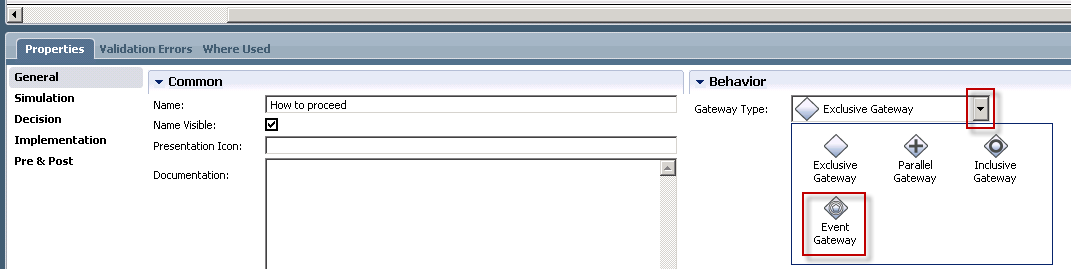
Next, you
need to add an additional message receive event, and then the events need to be
further specified. Before you do this, enlarge the grey rectangle by simply
selecting it, then enlarge the area. Now grab the event from the palette, and
drag it into the grey area, to add it to the event gateway:
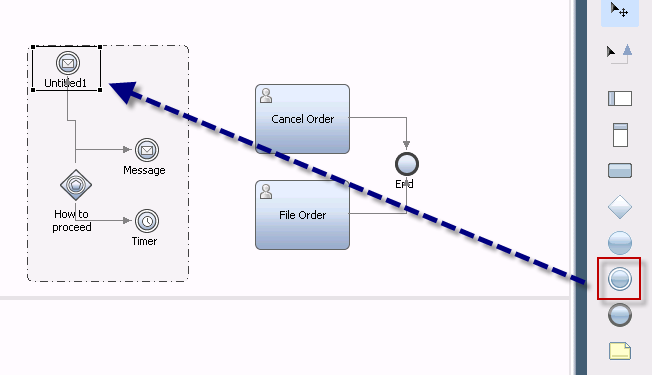
IBM Process
Designer automatically connects the new event to the event gateway. Now, when
the process is executed, the event gateway will investigate three different
events, which however will have to be further specified.
Select the
newly added message event, and look at its properties.
- First, on
the General tab, in the Name field, enter: Modify order
- Second,
on the Implementation tab, check if the message event is of type 'Message
Intermediate Event '
- Third, on the Implementation tab, select the UCA named 'UCA_ModifyOrder', and make sure that the checkmarks for 'Consume Message' and 'Durable Subscription' are checked (which is the default):
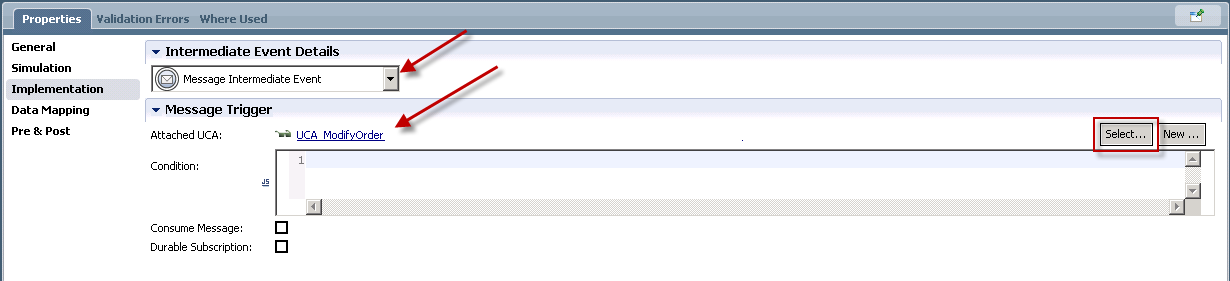
- Forth,
on the Data tab, specify the variable used for correlation (select
'CorrelationOrderID' from the presented list)

This
defines the first message event of the gateway.
Now repeat
these steps for the message event that was created when the event gateway was
created, but this time name the message event 'Cancel Order', select the
message type 'Message Intermediate Event', assign the UCA named
'UCACancelOrder', and assign the variable used for the correlation, which is
the same as used by the other message event (select 'CorrelationOrderID' from
the presented list).
Finally,
specify the wait time of the timer connected to the event gateway:
- First, on
the General tab, in the Name field, enter: Wait for 5 minutes
- Second,
on the Implementation tab, specify a wait time of 5 minutes (this is just to
allow to experience the timer expiration. In reality, you would wait longer...)
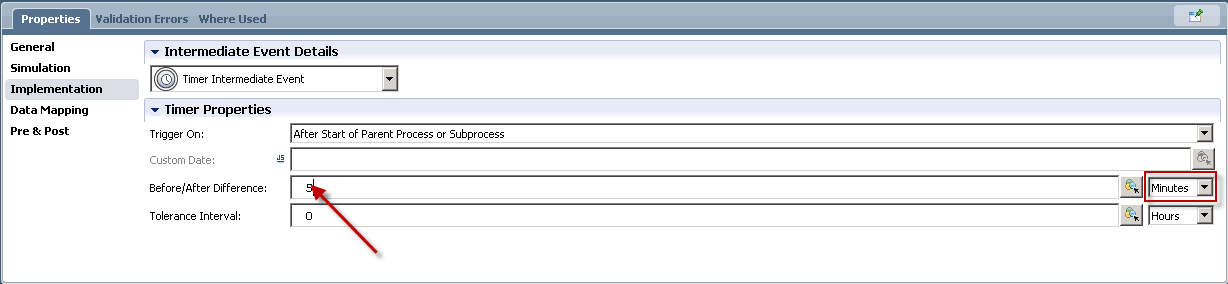
Now connect
the message events and the timer with the tasks available in the process.
Create the following links:
- Event
'Modify order' to task 'Edit Order'
- Event
'Cancel order' to task 'Cancel Order'
- Event
Timer to task 'File Order'
- Gateway
named 'Manager validation required' to the event gateway. This link requires to
specify the decision path, therefore select the 'Manager validation required?'
gateway, select the implementation tab, and specify the decision that will be
evaluated to navigate to the event gatew ay. It looks like the following:

- Gateway
named 'Order approved?' to the event gateway. This link requires to specify the
decision path, therefore select the 'Order approved?' gateway, select the
implementation tab, and specify the decision that will be evaluated to navigate
to the event gateway. It looks like the following:

The process
does now look like the process shown in the Overview section.
This
completes what needs to be done in the EditAndFileOrder process.
Save your
work, and open the 'ModifyOrder' process.
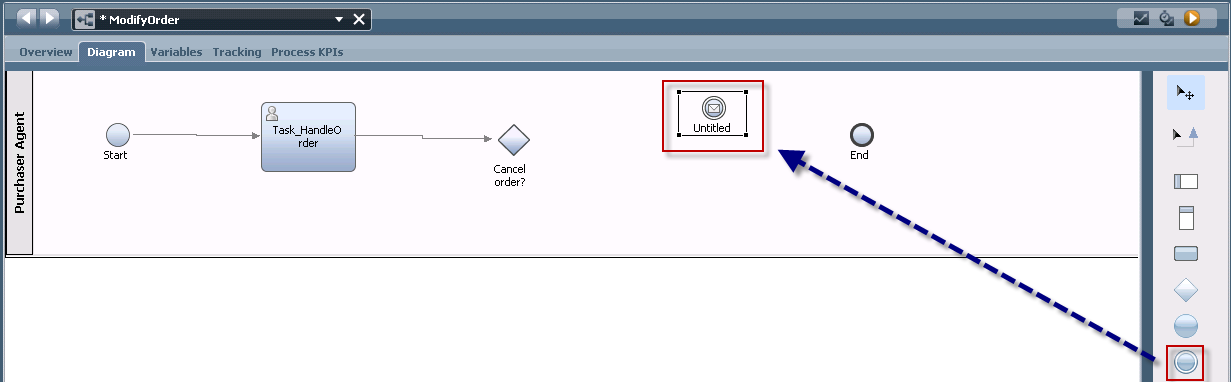
In the 'ModifyOrder' process you will have to add to message intermediate events, which are sending messages. First, from the palette, drag an event and drop it into the process diagram, as shown here:
- First, on
the General tab, in the Name field, enter: Send cancellation
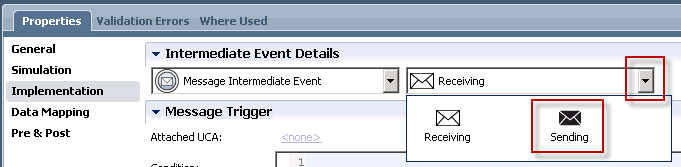
- Second, on the Implementation tab, check if the message event is of type 'Message Intermediate Event', then switch it to be a 'sending' event:
- Third, on
the Implementation tab, select the UCA named 'UCA_CancelOrder':
- Forth,
on the Data tab, specify the variable used for correlation (select
'CorrelationOrderID' from the presented list)
Repeat
these steps to create a second message event, this time handling the order
modification.
When done,
connect the message events with the preceeding gateway, and with the end node.
The last
step is to specify the decision conditions at the CancelOrder? gateway. Select
the gateay, select the implementation tab, and define the following:

This is it! Move on to the run the sample section.