Even the most simple business process has two parts:
The WSDL interface exposes the process' functionality, enabling clients to interact with the business process. It contains an operation and describes the in/output for that operation. In this sample, WebSphere® Integration Developer will create a default interface for your business process.
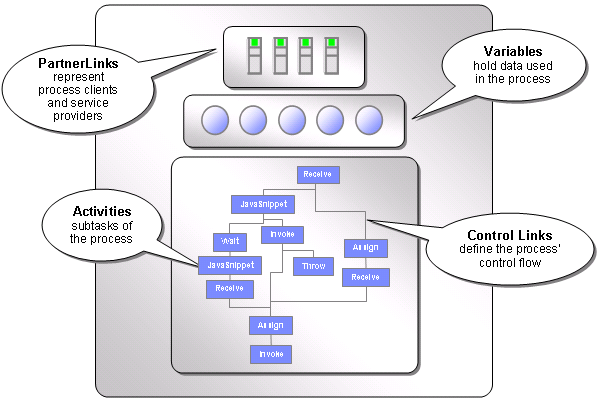
The BPEL file describes the control flow and the activities that make up the business process. Furthermore, it defines variables that hold the data used throughout the business process and so-called "partner links" that represent entities such as process clients and other services with which the BPEL process interacts.
The elements described here are the requirement elements of a BPEL process. It can have more optional elements - these are described in the samples in section Advanced BPEL features.
The Hello World business process will have three activities:
The process will be a microflow, this means that all activities in the process are executed in one single transaction. The process is transient, no database interaction or messaging system is involved in the execution of this process. Only the process template is stored in the Process Choreographer database and read once before a process instance is started.
Note that if you have Audit Trail enabled, audit data about the microflow is written to the Process Choreographer database.
You can find all steps you need to do to create this process in the Build it Yourself section of this sample.